Menu
OPEN HOME AUTOMATIONCOMPONENTS · AGENT SKILLS · YOUR OWN PROJECTAPACHE-2.0 ↗
← DOMOSENSO / FRAMEWORK

COMPONENT INDEX / INSTALLABLE COMPONENT / v0.5.0

audio-sensor

Room sound level and third-octave spectrum on Atom EchoS3R or ESP32-S3 with IM73D122

Hear the room on the wall: the music you play, drawn as it sounds.

Hardware requiredShown through another component
TRY THE COMPONENTIllustrative demo · sample data

The strip follows the music

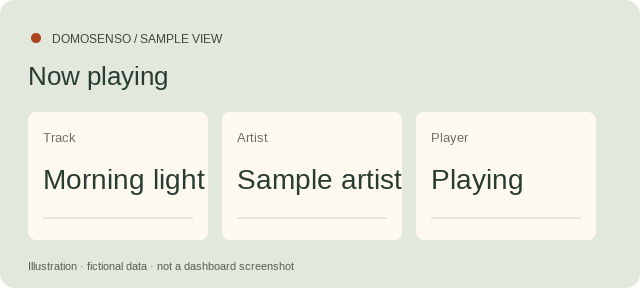
Fictional values: the third-octave spectrum from the board, five updates a second by default and about twelve while Ramka's music view shows.

Visual
Spectrum
Level
68 dB SPL
Source
Living room

WHAT YOU WILL SEE

Views, with their conditions.

This component supplies data or controls. The views below are rendered by another component when configured.

FROM SOFTWARE TO HARDWARE

Give it something to connect to.

Required and optional equipment is listed in the release details below. These guides cover the documented models and installation roles.

All hardware

FROM PARTS TO A WORKING COMPONENT

Set it up, then check it.

  1. 01

    Choose Atom EchoS3R or the ESP32-S3 IM73D122 assembly. For the latter select board: esp32-s3-im73d122 and, only when wired, oled: true. Flash the matching device file over USB; the default factory image still targets Atom.

  2. 02

    PDM has fixed microphone gain and no qualified LED strip. Existing Atom installations need no migration. Adding board inputs does not rewrite an existing owner-managed device file; follow the 0.5.0 upgrade notes.

  3. 03

    Adopt the board in Home Assistant through ESPHome and map its entities in the component's inputs.

  4. 04

    Calibrate the sound level against a reference meter, or keep the offset marked as an estimate.

  5. 05

    To see it on the tablet, set Ramka's music_visual, switch Live visualization on and choose the look on the Ramka settings dashboard; with audio-sensor 0.3.0 that page shows what the selected sensor can do, and its music source select offers no sensor (—). A board flashed before 0.2.0 needs the new firmware for the faster update rate; 0.3.0 needs no new flash.

Start with your coding agent →

Release details

01 / REQUIREMENTS

What it needs

  • sound sensor
    Recommended:
    m5stack-atom-echos3r, esp32-s3-im73d122
    Quantity:
    1 or more
    Power:
    5 V USB

Optional equipment

  • led strip

    Recommended: m5stack-led-strip-sk6812 · Quantity: 0 or 1 per Atom board · Power: 5 V: the board's Grove port up to about 30 LEDs, else its own supply

Home Assistant integrations

  • esphomecore

    adopt the board in Home Assistant once flashed (discovery confirmation), with the API key from the home's ESPHome secrets

  • ESPHome (firmware)firmware

    flash the first time over USB (download mode: hold the button while plugging in); then OTA

  • templatecore

02 / YOUR PROJECT

Add it to your home project

domosenso add [email protected]
# Fill in your home-specific inputs
domosenso render audio-sensor
domosenso status

Run these through uv run --project <catalog checkout> domosenso from your separate home folder. Adding and rendering files does not deploy them.

Start with the onboarding guide →

03 / CONFIGURATION

Your inputs

Show 1 configuration inputs
InputTypeConfiguration
sensorslist[{room: slug, area: area_name, music: bool, id_prefix: slug, name: str, friendly_name: str, mic_gain: str, board?: enum, oled?: bool, entities: map, online?: entity_id, strip?: map}]Supply your value

Before a live change

The ESP32-S3 IM73D122 assembly has offline bench evidence for sound response, 31 spectrum bands and its OLED. No deployed-home or calibrated SPL/20 Hz accuracy claim is made.

Actual Home Assistant metadata and direct octave-entity updates on the new PDM assembly still need runtime acceptance.

Configuration validation is not a guarantee of hardware compatibility. Review the component source and deployment plan; verify behavior after deployment.