
NOTES FROM THE WORKSHOP
Small changes. Real installations.
What changed, why it matters, and what we learn when components meet a home. Release notes and field stories, with sources you can inspect.
12 entries
Set up an M5Stack Atom in Home Assistant
Set up an Atom Lite as a Bermuda Bluetooth proxy, or choose the right firmware for Assist or sound measurement on an Atom EchoS3R.
How to add a Mi Flora plant sensor to Home Assistant
Set up Xiaomi BLE for a Flower Care sensor, troubleshoot discovery and missing battery readings, then check the data before adding plant reminders.
How to set up a Bermuda Bluetooth proxy for room presence
Connect Bluetooth proxies, assign their rooms and check Bermuda's area estimates before building presence automations.
How to connect an M5Stack Atom EchoS3R to Home Assistant Assist
Check the hardware model, select the manufacturer's voice firmware and test each stage of a Home Assistant Assist command.
Stop on a page and read it
Ramka 0.9.0 pauses the rotation from the bottom-right corner and turns plant pages and photos with a sideways swipe. Ramka 0.8.0 and 0.9.0 also bring a list of every plant, climate widgets, named colours, a preview dashboard and a Live visualization switch.
Ramka finds the plants itself
Ramka 0.7.0 shows 1 to 50 plants in pages, with plants 0.3.1 saying when each was watered and when it will need water. Ramka 0.5.0 and 0.6.0 bring more settings, and audio-sensor 0.2.0 a faster spectrum.
Ramka draws the music in the room
Ramka 0.4.0 can show the room's sound on the now-playing page, and every setting is now live.
Try it before it reaches your home
Every change can now be opened in a local Home Assistant first, by anyone, without writing code.
From a component to the wires
Two documented Atom connections, plus the tablet setup they help support.
Keep only the pages you need
The status page can now be removed from Ramka’s ambient rotation.
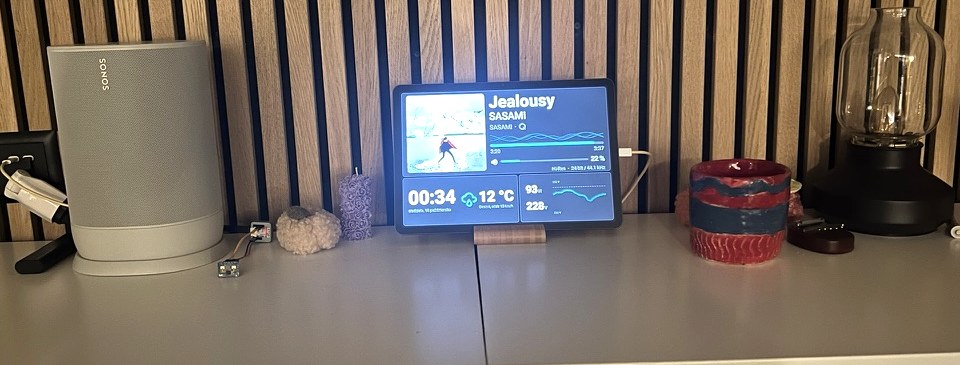
A tablet, a radar, an ordinary shelf
Inside the maintainer’s first installation: components with a physical home.
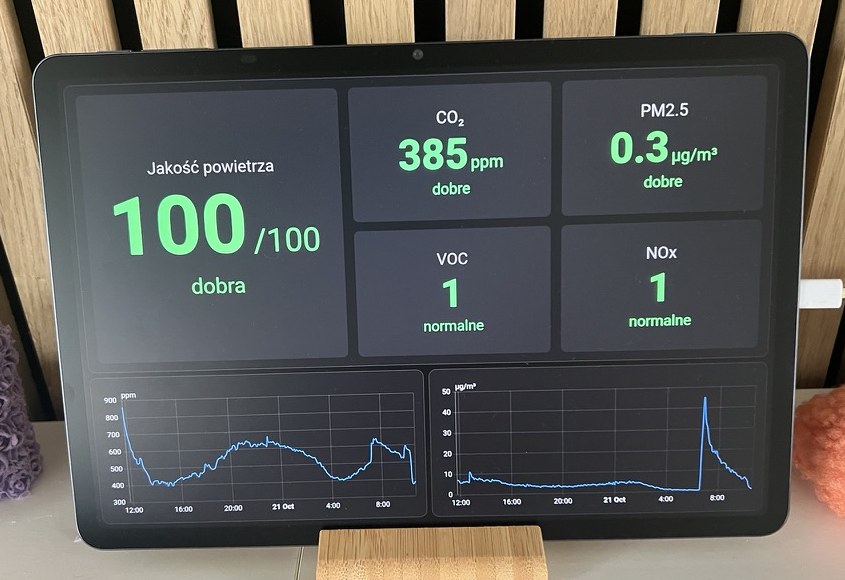
A dashboard should fit the home it lives in
Ramka 0.2.0 made climate, air, plants and photos conditional on your inputs.