
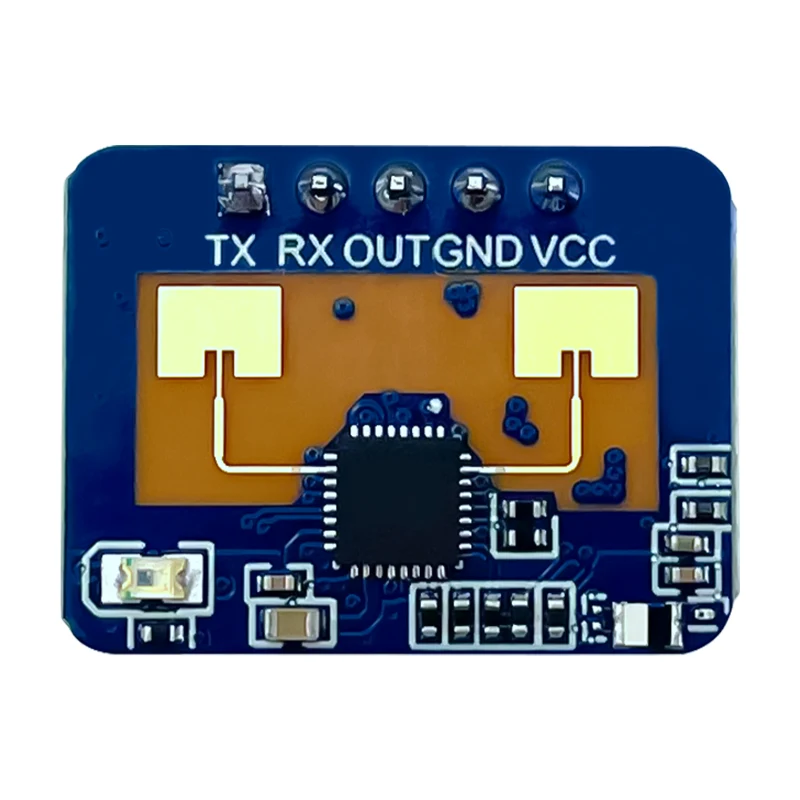
HLK-LD2410C radar: wiring and setup
A Hi-Link HLK-LD2410C 24 GHz presence radar on an M5Stack Atom Lite that already runs as a
bermuda-presence BLE proxy. It is that component's optional feature radar; the Ramka uses a
radar like this to wake its screen. Device file: hlk-ld2410c.yaml.
Desktop mount

A printable V5 desktop-mount proposal holds the Atom Lite below the radar, with the radar vertical on a head that turns up to 60 degrees left or right. Choose a 70 × 60 mm standing base or an interchangeable shelf-edge clamp (12 mm shelf in the reference model). The radar centre is 82 mm above the supporting surface. Fasteners are printed; no screws are required. The Atom slides into a cradle with lower pads against the mast and a removable keeper.
The assembled V5 was printed in PETG and reported to fit after several trials. Finger access to the upward-facing Atom button remains cramped beneath the stationary ring. A small front underside bevel is documented as a future proposal; it is not included in the V5 downloads. Long-term retention, fatigue and standing-base stability have not been measured.
- Print settings, parts and assembly, including support exclusions that keep the fitted joints clear.
- Assembly diagram for both bases.
- STL files for a complete new set or V5 replacements.
- Parametric OpenSCAD source and build script, including optional support blockers.
The USB clearance was sized around a 10 × 5 × 30 mm plug, with a 16 mm-wide, 40 mm-long clearance envelope. Check your cable before printing. The tested 120 mm jumpers, measured end to end including the connector housings, only just reached: trial fit the complete harness and check both turning limits without pulling the connectors. For an existing V4 mount, only the cradle and the two keepers change; print the complete set for a new build.
Wiring
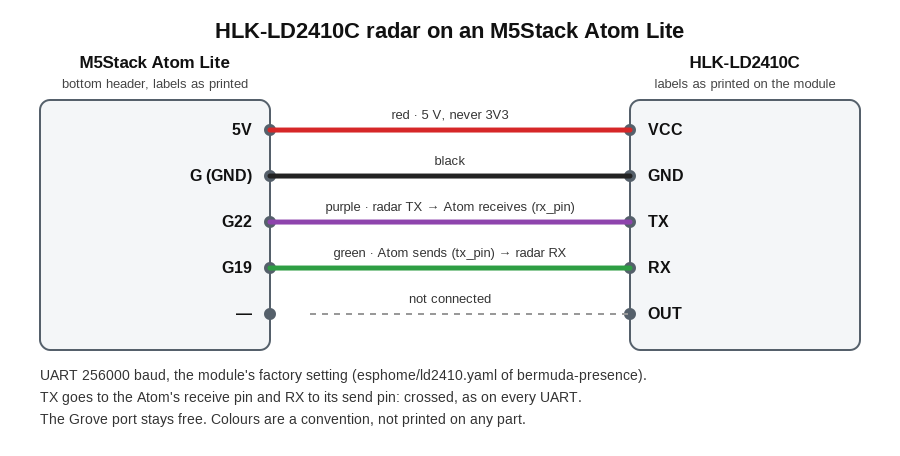
| Atom Lite (bottom header) | HLK-LD2410C | wire | why |
|---|---|---|---|
| 5V | VCC | red | the module needs 5 V; never 3V3 |
| G | GND | black | |
| G22 | TX | purple | the Atom receives on G22 (rx_pin: GPIO22) |
| G19 | RX | green | the Atom sends on G19 (tx_pin: GPIO19) |
| — | OUT | — | not connected: presence comes over the UART |
Source: components/bermuda-presence/esphome/ld2410.yaml, the wiring of the first home's boards.
The labels are the ones printed on the Atom and on the module; the diagram shows which socket goes to
which pin, not where they sit on the boards. Colours are a convention: any colour works if both ends
match. The Grove port stays free.
Firmware
The board's thin device file pulls the radar package next to the proxy package; with
radar: true on that proxy in the component's inputs, domosenso add writes it so (SPEC-015):
packages:
  proxy: github://zerostorypoints/domosenso/components/bermuda-presence/esphome/ble-proxy.yaml@bermuda-presence/<version>
  radar: github://zerostorypoints/domosenso/components/bermuda-presence/esphome/ld2410.yaml@bermuda-presence/<version>
Then esphome config, compile and a flash, as for any proxy (components/bermuda-presence/README.md).
The UART runs at 256000 baud, the module's factory setting.
After the first start
- The module keeps its settings (gates, thresholds, timeout, its own Bluetooth) in its own flash: set them once from Home Assistant; they survive a reflash of the Atom.
- Engineering mode is the one setting it forgets on a restart, and the light reading only comes in engineering frames, so the package switches it back on 10 s after every boot.
- New entities on the proxy's device: presence, moving and still target, detection distance and
the others listed under
features.radarincomponents/bermuda-presence/component.yaml.
When it does not work
| what you see | likely cause |
|---|---|
| no radar entities at all | the device file lacks the radar: package line |
radar entities unavailable or never changing | TX and RX swapped (TX must go to G22), or VCC on 3V3 |
| the Atom resets or drops off Wi-Fi when the radar is plugged in | a weak USB supply: the radar draws its power through the Atom; use a plain 5 V USB supply (the power note on ble-proxy in components/bermuda-presence/component.yaml) |
| presence that never clears with nobody there | sensitivity and gates, set from Home Assistant; the module keeps them |
The last two rows are inference from how the module and the board are powered and set up, not cases seen in the first home.