
Menu
OPEN HOME AUTOMATIONCOMPONENTS · AGENT SKILLS · YOUR OWN PROJECTAPACHE-2.0 ↗
← DOMOSENSO / FRAMEWORK

HARDWARE / SETUP GUIDE

M5Stack Atom Lite

A compact board with three distinct installation roles.

All hardware
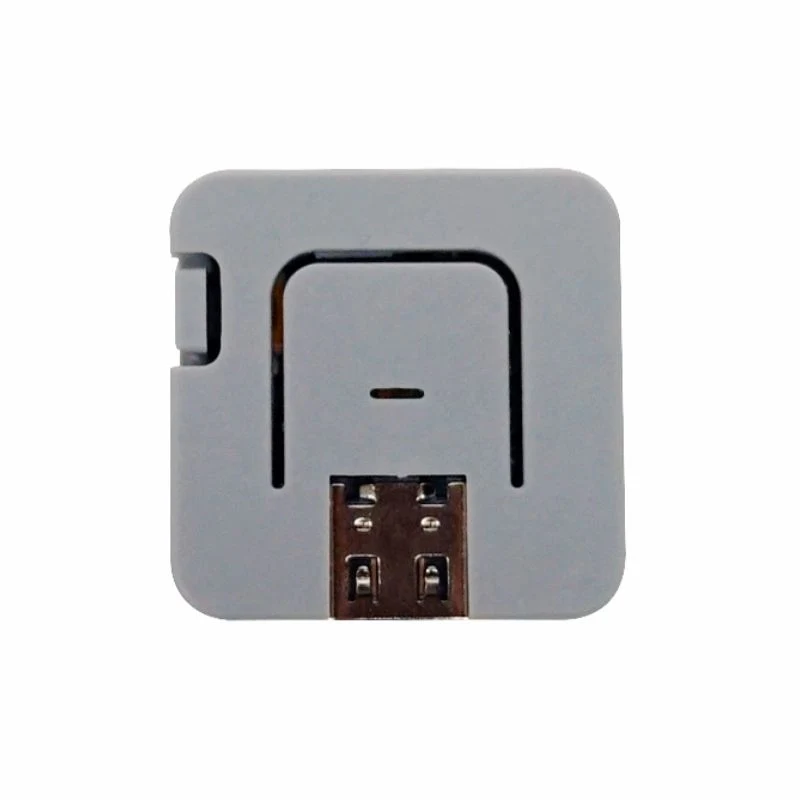
M5Stack Atom Lite ESP32 board
Photo: M5Stack ↗
Documented component versionsView pinned hardware source ↗

Follow the instructions for this exact model and role. Compatibility with other models is not implied.

Dimensions

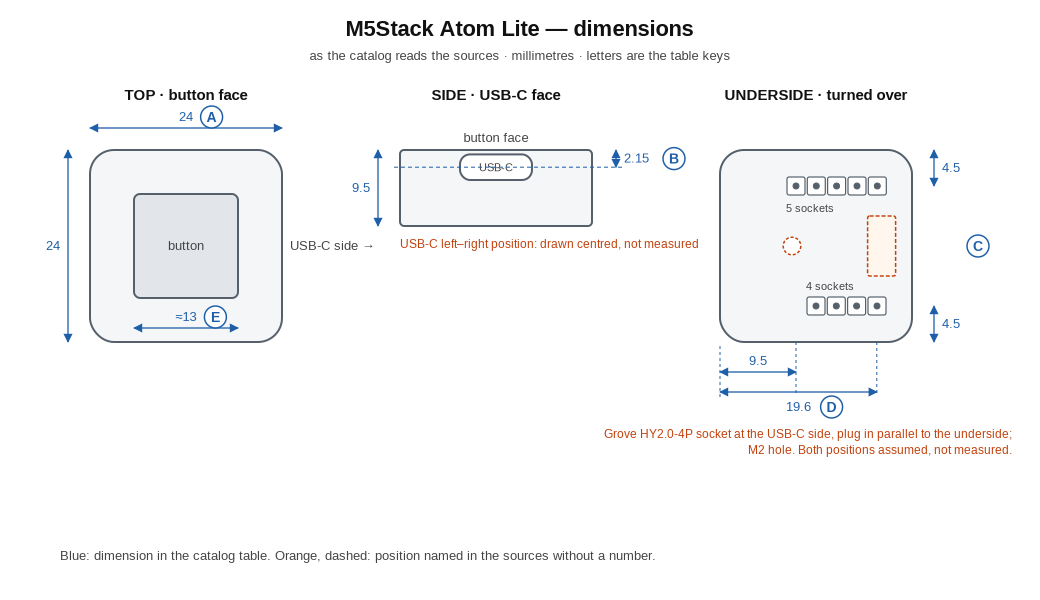
Dimension drawing of the M5Stack Atom Lite; the letters are the table's keysOpen full-size drawing ↗
KeyDimensionValueSourceChecked
ABody, width × depth × heightCaliper, 2026-11-07: 9 to 10 mm high. Official model: https://github.com/m5stack/M5_Hardware/tree/master/Products/C008_Atom-Lite (not measured from).24 × 24 × 9.5 mmManufacturer ↗2026-11-07
BUSB-C axis below the button faceMeasured from the pixels of M5Stack's raster model-size drawing.2.15 mm ± 0.2Manufacturer ↗2026-11-05
CHeader socket centres from the side edgesMeasured from the pixels of M5Stack's raster model-size drawing.4.5 mm ± 0.2Manufacturer ↗2026-11-05
DHeader socket rows from the face opposite the USB-C, first × lastMeasured from the pixels of M5Stack's raster model-size drawing; rows at a 2.54 mm pitch.9.5 × 19.6 mm ± 0.2Manufacturer ↗2026-11-05
EButton cap, square≈ 13 mmCaliper2026-11-07

Choose the role first

For Room presence, power the board from a plain 5 V USB supply and configure the ESPHome BLE proxy. Position proxies where Bluetooth coverage is needed. The optional radar has its own wiring guide.

For awnings, a separate board runs ESPSomfy-RTS firmware with a CC1101 radio. It is not simultaneously the ESPHome Bluetooth proxy.

For a gate remote, a board runs the gate-remote component's firmware, first to capture the handset and then to send its code, with an M5Stack CC1101 module for 868 MHz handsets. The module takes 5 V from the Atom's 5V socket.

Verify before use

Confirm the selected firmware, network connection and Home Assistant integration before mapping component inputs. Keep Wi-Fi credentials and API encryption keys in your private home project.

Setup references

These upstream instructions may evolve; the component versions and pinned source above record the DomoSenso scope.

Desktop mount with radar

The optional V5 desktop mount for Atom Lite and HLK-LD2410C has a turning radar head and a choice of standing base or shelf clamp. The guide includes an assembly diagram, printable STL files and editable source. One printed V5 assembly was reported to fit; finger access to the Atom button remains cramped, and the proposed bevel is not included.

All hardware